
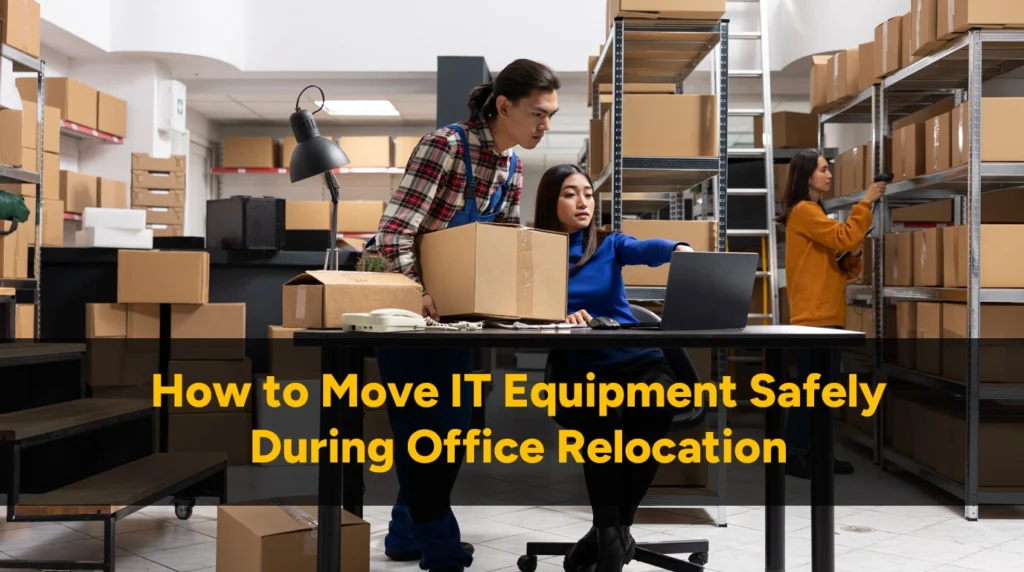
Your servers, computers, and networking equipment represent a significant investment and contain critical business data. Moving IT equipment incorrectly can result in hardware damage, data loss, extended downtime, and costly repairs. This guide explains how to protect your technology during an office move in Vancouver.
This guide explains how to protect your technology through every stage of an office relocation. At President Movers, we have handled IT relocations for businesses across Metro Vancouver on many occasions. We’ve moved small offices with a handful of workstations to companies with full server rooms.
Why IT Equipment Requires Special Care
Business technology is one of the most valuable assets in any office. Unlike furniture, electronic equipment contains delicate components that can fail if they’re dropped or packed incorrectly.
Some of the biggest risks during an office relocation include:
- Hardware damage during transport
- Data loss from damaged storage devices
- Network downtime after the move
- Improper cable reconnection
- Delays caused by poor planning
A discharge of 25 volts can damage circuitry inside computers and other equipment. Planning these details before moving day helps reduce business disruption and speeds up the setup process at your new office. Our commercial moving team in Vancouver can help coordinate everything as part of one organised office move.
Planning Your IT Equipment Move Beforehand
A successful IT relocation starts weeks or even months before moving day. Rushing the planning phase leads to problems during execution. Here is how to prepare properly:
Create a Complete IT Inventory
Document every piece of IT equipment that will be moved. This includes servers, workstations, monitors, laptops, printers, switches, routers, firewalls, UPS systems, phone equipment, and peripherals.
Assess Your New Location Before Moving
Before moving any equipment, verify that your new space can support it. Confirm adequate electrical capacity including dedicated circuits for server rooms. Check that network connectivity is installed and tested.
Involve Your IT Team Early
Your IT staff or managed service provider (MSP) must be involved from the earliest planning stages. Schedule planning meetings to develop a migration strategy that addresses technical requirements.
Develop a Timeline
Create a detailed timeline working backward from your move date. Include milestones for inventory completion, backup verification, new location preparation, equipment shutdown, physical move and everything in your plan.
Plan for Downtime
Determine how much downtime your business can tolerate. This drives decisions about timing, phasing, and parallel infrastructure.
Budget Appropriately
IT moves cost more than furniture moves due to specialized handling requirements. Budget for anti-static materials, server lifts, overtime for weekend moves, and funds for unexpected issues.
Pro Tip: Most IT moves are scheduled for weekends to minimize business disruption. Book your moving company well in advance for weekend dates, especially if you need after-hours or overnight work.
Backup and Pre-Move Preparation
Complete full backups of all servers, workstations, and critical systems before disconnecting a single cable. The Canadian Centre for Cyber Security recommends keeping multiple backup copies in separate locations. Store at least one copy off-site, away from both your current and new offices.
Then test the backups. A backup that cannot be restored is worthless. Restore files from at least one system to confirm everything is intact. Document the restoration steps so your team can act quickly if needed. We have turned up on move day and found clients whose backup software had been failing silently for months. We insisted on verified backups before touching anything.
Anti-Static Protection: What to Use and When
Static electricity is invisible but extremely dangerous to electronics. Implementing proper anti-static procedures throughout your IT move is essential. All circuit boards, hard drives, RAM modules, and internal components must go into anti-static bags. These are the distinctive pink or silver bags treated to dissipate static safely. Regular plastic bags can generate static and make things worse.
Use anti-static bubble wrap and foam for cushioning. Standard bubble wrap generates static through friction. Anyone handling exposed components should wear a properly grounded anti-static wrist strap..
How to Pack Each Equipment Type Properly
How you pack IT equipment determines whether it survives the move intact. Different equipment types require different approaches.
Servers and Rack Equipment
Decide whether to move servers in racks or remove them individually. Moving a fully loaded rack requires specialist lifting equipment and careful planning. Removing servers adds handling steps but allows each unit to be packed and protected properly.
Desktop Workstations
Remove hard drives and pack them separately in anti-static bags where possible. If drives stay installed, position the computer so drives are not exposed to impact against the case wall.
Monitors and Displays
Screens crack from pressure or impact, even when nothing visible hits them. Use original boxes if available. If not, wrap screens in soft padding and box them with cushioning that prevents any movement.
Laptops and Portable Devices
Remove batteries where possible to prevent accidental power-on during transit. Pack laptops in padded cases or anti-static wrapping with cushioning. For better care and save yourself the stress and let experts pack your IT equipment.
Network Equipment
Switches, routers, and firewalls are generally more robust than servers but still require anti-static protection. Wrap equipment in anti-static material and box with cushioning.
UPS and Battery Systems
UPS units are heavy. Some models have removable batteries that reduce transport weight. Check your manual before attempting to remove them.
Printers and Peripherals
Remove toner cartridges and ink cartridges to prevent leakage. Pack in original boxes if available with cushioning. For large printers, you can rely on us to handle heavy office equipment safely.
Transporting IT Equipment Safely
Load IT equipment after heavy furniture is secured in place. Position technology where it will not be crushed or impacted by a shifting load. Heavy items like servers and UPS units go on the truck floor, not stacked on top of other gear.
Strap or block all IT equipment so nothing can shift during transport. Use padding between items and between items and the truck walls. Check that nothing can move before the doors close. Use fragile and heavy item movers to handle high-tech and bulky equipment across Metro Vancouver.
Choose trucks with air-ride suspension where possible. These reduce vibration transmitted to cargo compared to standard leaf-spring systems. Route planning also matters. Take roads that avoid excessive potholes, during Metro Vancouver rush hours on Highway 1.
Moving a Server Room Across Vancouver
Application servers typically shut down first, then database servers, then domain controllers, then storage systems, then network equipment. Your IT team should document and own this sequence. Movers handle the physical work.
Cabling in server rooms can involve hundreds of individual cables. Video walkthroughs in addition to photographs are worth the extra minute. Confirm that power infrastructure at the new location is tested and labelled before equipment arrives. Verify that HVAC is operational and sized correctly for your heat load.
Our office relocation services across the Lower Mainland include pre-move site checks that catch issues beforehand.
Common IT Moving Mistakes to Avoid
- Skipping or not testing backups – If equipment is damaged during the move, verified backups are your recovery plan.
- Inadequate labelling – Even simple networks become confusing when you are reconnecting dozens of cables without documentation.
- Using the wrong packing materials – Standard bubble wrap generates static, standard boxes may not protect against impact.
- Excluding IT staff from planning – Movers handle the physical move, IT staff understand the systems.
- Underestimating post-move time – Getting equipment physically moved is only half the job. Testing, troubleshooting, and resolving issues takes time.
If you’re moving for the first time, it’s better to read our guide rather than making these mistakes.
Working with Your Moving Company on an IT Relocation
Ask specifically about IT moving experience before booking any company. Find out what anti-static materials they carry, whether they have handled server room moves. Provide a complete inventory before the move. Include weights for heavy items. Flag anything that needs special handling.
Define responsibilities clearly upfront. Movers handle physical disconnection, packing, transport, and placement. IT staff handle reconnection, configuration, and testing. Knowing who owns each task prevents gaps on the day.
At President Movers, our business relocation teams in Coquitlam, Richmond, and North Vancouver are trained for technology-sensitive moves. We carry anti-static materials as standard and coordinate directly with your IT team throughout.
Frequently Asked Questions
How far in advance should we plan an IT equipment move?
Four to six weeks is enough for small offices. Server rooms and complex environments need eight to twelve weeks at minimum.
Should we move servers in the racks or remove them?
Removing servers adds handling steps but allows individual protection and lighter rack transport. Moving loaded racks needs specialist lifting equipment.
How do we protect data during the move?
Verify backups before moving anything. For sensitive data, remove drives and transport them separately under controlled custody. Your moving company matters and our guide on how to find the best moving company in Vancouver will help you find the right one.
What if equipment is damaged during the move?
Document any damage immediately with photographs and report it to your moving company. This is why backups matter. You can restore data to replacement hardware if equipment fails.
How long does an IT move typically take?
Small offices can often be moved in a single day. Medium-sized businesses with server infrastructure typically need a weekend.