
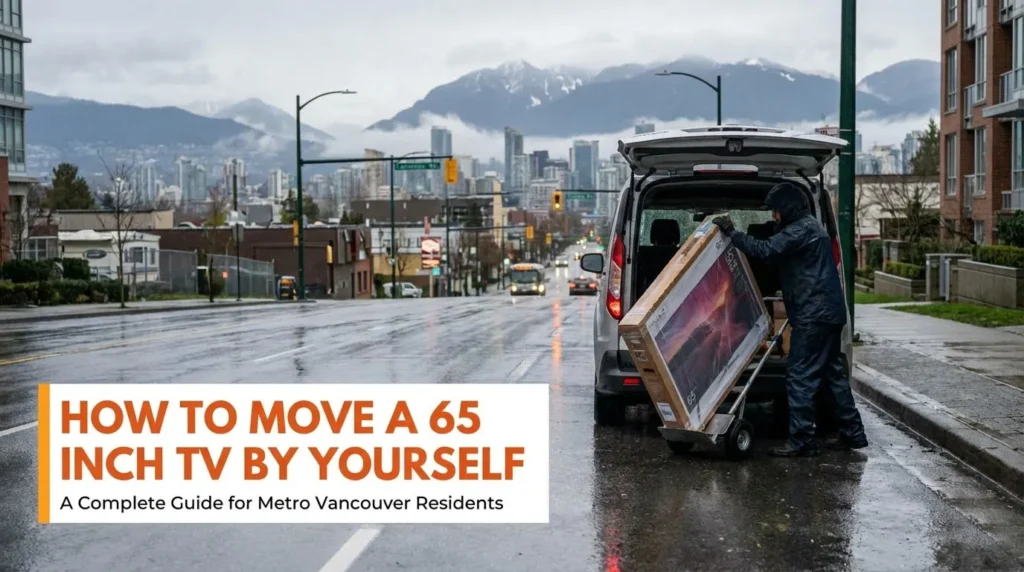
Moving a 65-inch TV by yourself can feel like a big challenge. These TVs are large, heavy, and fragile. One wrong move can damage your expensive screen or hurt your back. This guide will show you how to move your TV safely. We will also explain when it makes sense to call for professional help from a local moving company.
If you live in Burnaby, Vancouver, Richmond, Surrey, or anywhere in the Greater Vancouver Area, this guide is for you. Whether you’re planning to move to a new home or simply rearranging your space, it’s important to consider professional movers who specialize in handling large and delicate items.
We will cover the risks, the tools you need, and step-by-step tips to keep your TV safe.
If you feel need appliance repair service then you can reach out to our partner at www.expressappliancerepairvancouver.ca
Understanding Your 65 Inch TV
Before you start moving your TV, you need to know what you are dealing with. A 65-inch TV is not small. The screen size is measured diagonally, but the full width is about 57 inches (145 cm). The height is around 33 inches (84 cm). Most large-format displays weigh between 45 and 70 pounds (20 to 32 kg).
| Specification | Measurement | Why It Matters |
| Width | 57 inches (145 cm) | May not fit through narrow doors |
| Height | 33 inches (84 cm) | Hard to grip from top and bottom |
| Weight | 45-70 lbs (20-32 kg) | Risk of back injury if lifted incorrectly |
| Depth | 2-4 inches (5-10 cm) | Thin design makes the screen fragile |
Risks of Moving a 65 Inch TV Alone
Moving a large TV by yourself comes with real risks. You need to be honest about these dangers before you start.
1. Physical Injury
A 65-inch TV is awkward to carry. The weight is not balanced evenly. If you lift it the wrong way, you can hurt your back, shoulders, or arms. Many people end up with back pain or muscle strains after trying to move heavy TVs alone. Stairs, tight hallways, and doorways make the risk even higher. If you’re in Burnaby or Vancouver, consider the assistance of Local movers to make the process safer.
2. Screen Damage
Modern flat screen TVs have very thin and fragile screens. Even light pressure on the screen can cause cracks or dead pixels. Bumping a corner against a wall or doorframe can cause permanent damage. Once a TV screen is cracked, it cannot be fixed. You would need to buy a new TV.
3. Internal Component Damage
TVs have sensitive internal parts that can break from shaking or dropping. If you lay a flat screen TV flat during transport, the weight of the screen can damage the internal parts. This can cause display problems even if the outside looks fine.
4. Financial Loss
A 65-inch TV costs anywhere from $500 to $3,000 or more. If you damage it while moving, you lose that money. Most home insurance policies do not cover damage from DIY moving. This is a real financial risk to consider.
Considering the risks, it’s important to weigh the options between DIY moving and hiring a professional. While DIY can seem like an easy choice, it often leads to costly mistakes.
Tools and Supplies You Need
If you decide to move your 65-inch TV yourself, you must have the right supplies. Do not skip this step.
- TV Moving Box: A special box made for flat screen TVs. You can buy these at Home Depot, U-Haul, or Canadian Tire. They cost $20 to $70.
- Foam Corner Protectors: These protect the corners of your TV, which are the most fragile parts.
- Bubble Wrap: Wrap at least two layers around the entire TV. Keep bubbles facing away from the screen.
- Moving Blankets: Soft blankets add extra padding and prevent scratches.
- Packing Tape: Strong tape to secure your wrapping. Never put tape directly on the TV.
- Screen Protector Sheet: A soft foam sheet placed directly on the screen before wrapping.
- Zip Ties or Velcro Straps: To keep cords organized and out of the way.
Step-by-Step Guide to Move Your TV
Moving a 65-inch TV involves more than just transportation and following a step-by-step process to make both packing and unpacking smooth and secure.
1. Prepare Your TV
Start by turning off and unplugging your TV. Take photos of how all the cables connect. This will help you set it up again later. Unplug all cords and roll them neatly. Put cords, remotes, and screws in a clear plastic bag. If your TV has a stand, carefully remove it using a screwdriver.
2. Clean the Screen
Wipe the screen gently with a soft microfiber cloth. This removes dust that could scratch the screen during packing. Do not use any cleaning sprays or water.
3. Protect the Screen
Place a soft foam sheet or a clean soft blanket directly against the screen. This is your first layer of protection against scratches.
4. Wrap the TV
Wrap bubble wrap around the entire TV. Start with the screen side. Use at least two complete layers. The bubbles should face inward to provide maximum cushioning against the screen protector. Overlap each wrap by half to avoid gaps. The wrap should extend beyond the TV edges by at least two inches on all sides.
5. Add Corner Protection
Attach foam corner protectors to all four corners. If you do not have foam corners, fold bubble wrap into thick triangular shapes. Secure everything with packing tape, but only attach tape to the bubble wrap, never to the TV itself.
6. Box the TV
Your TV box should be slightly larger than the wrapped TV. There should be 2 to 3 inches of space on all sides for padding. Place the TV upright in the box, never flat. Fill all gaps with bubble wrap, packing paper, or soft materials. The TV should not be able to move inside the box.
7. Label the Box
Write “FRAGILE” and “KEEP UPRIGHT” on all sides of the box in big letters. This is very important. Add “DO NOT STACK” as well. These labels remind everyone to handle their TV carefully.
8. The “Rain City” Protection Tip
If you are moving in Metro Vancouver, you know that a sudden downpour is always a possibility. Even a few drops of moisture entering the TV’s back vents can cause a short circuit.
The Pro Move: Once your TV is boxed, wrap the entire box in industrial stretch wrap or a large plastic tarp. This creates a waterproof barrier for the trip from your front door to the moving truck. If you’re moving into a high-rise in Yaletown or Metrotown, this also protects the box from damp parkade floors.
How to Transport Your TV
Transporting a heavy item over long distances requires extra care and preparation to prevent damage. Follow these steps for securing the transfer.
1. The Golden Rule
Never lay your TV flat. Always keep it upright during transport. When a TV is flat, the weight of the screen puts pressure on the internal parts. This can cause cracks or damage to the display. Think of it like carrying a birthday cake. You would not carry it sideways, right?
2. Vehicle Options
A 65-inch TV box is typically 62 to 66 inches long and 40 inches high. This will not fit in a standard sedan (like a Honda Civic or Toyota Camry) or even some compact SUVs.
If you are moving within Burnaby, Richmond, or Surrey, you will need a vehicle with a large cargo area. Common Canadian favorites like the Toyota RAV4, Honda CR-V, or Mazda CX-5 can usually fit the TV if the box is angled or the front seats are pushed forward—but remember, the TV must stay upright. For a guaranteed fit without risking the screen, a minivan (like a Chrysler Pacifica), a large SUV (like a Chevy Suburban), or a cargo van is the safest bet.
3. Secure the TV
Place the TV upright with the screen facing toward the back of the vehicle. Position it between flat, sturdy items like mattresses, sofas, or flat boxes. The TV should not be able to tip over or slide. Use straps or bungee cords to secure it if possible.
4. Drive Carefully
Take your time driving. Avoid sudden stops, sharp turns, and bumpy roads. In Metro Vancouver, construction zones and uneven roads are common. Plan your route ahead of time to avoid rough patches.
When You Should Not Move a TV Alone
Sometimes, moving a TV by yourself is not a good idea. Here are situations where you should ask for help:
- You have stairs to navigate
- You live in a condo or apartment with narrow hallways
- You have back problems or physical limitations
- Your TV is worth more than $1,500
- You need to coordinate elevator bookings in your building
- You do not have the right packing supplies
Why Professional Movers Make a Difference
Professional movers have the training, tools, and experience to move large TVs safely. They use proper lifting techniques and know how to navigate tight spaces. They also carry insurance, so if something goes wrong, your TV is covered.
President Movers has been helping families and businesses across Metro Vancouver for over a decade. Whether you are moving from Burnaby to Richmond, Vancouver to Surrey, or anywhere in the Greater Vancouver Area, our team treats your belongings like our own.
We offer single-item moving services, which means you can hire us to move just your TV if that is all you need. No job is too small. Our movers use proper padding, straps, and handling techniques to keep your electronics safe.
| Factor | DIY Moving | Professional Movers |
| Equipment | You must buy or rent | Included in service |
| Insurance | Usually not covered | Fully insured |
| Risk of Injury | High | Low (trained professionals) |
| TV Damage Risk | Medium to High | Very Low |
| Time Required | Several hours | Quick and efficient |
Let President Movers Help You
Moving a 65-inch TV is stressful. You have enough to worry about during a move. Let our experienced team handle the heavy lifting for you.
President Movers serves all of Metro Vancouver, including Burnaby, Vancouver, Richmond, Surrey, Coquitlam, New Westminster, North Vancouver, West Vancouver, Delta, Langley, and beyond. We are fully licensed and insured. Our team has over 10 years of experience moving everything from single items to entire households.
We offer:
- Single-item moving for TVs, furniture, and appliances
- Professional packing services with high-quality materials
- Furniture delivery from stores or Marketplace purchases
- Residential and commercial moving services
- Loading and unloading help for rental trucks and pods
Ready to get a free quote? Call us at 604-900-5433 or visit presidentmovers.ca to book your move today.
Conclusion
Moving a 65-inch TV by yourself is possible, but it takes careful planning and the right supplies. You need to understand the risks to both your TV and your body. Always keep the TV upright, use proper packing materials, and never rush the process.
If you have any doubts or if you want peace of mind, hiring professional movers is the smart choice. The moving cost of professional services is often more affordable than replacing a damaged TV or dealing with a back injury.
President Movers is here to help residents across Metro Vancouver move safely and stress-free. Contact us today for a free quote.
Frequently Asked Questions
1. Can one person carry a 65-inch TV?
It is not recommended. A 65-inch TV weighs 45 to 70 pounds and is awkward to grip. Most experts suggest at least two people for TVs 55 inches and larger. If you must move it alone, use proper lifting techniques and take breaks.
2. Can I lay my TV flat to transport it?
No. Laying a flat screen TV flat puts pressure on the internal components and screen. This can cause cracks or display problems. Always transport your TV standing upright.
3. Will a 65-inch TV fit in my car?
Most regular cars cannot fit a 65-inch TV. You need a minivan, a large SUV with folded seats, or a cargo van or truck. The TV is about 57 inches wide, which is wider than most car interiors.
4. How much does it cost to hire movers for one TV?
Prices vary based on distance and difficulty. President Movers offers affordable single-item moving services in Metro Vancouver. Call 604-900-5433 for a free quote tailored to your needs.
5. What areas does President Movers serve?
President Movers serves all of Metro Vancouver, including Burnaby, Vancouver, Richmond, Surrey, Coquitlam, New Westminster, North Vancouver, West Vancouver, Delta, Langley, Port Moody, Port Coquitlam, Maple Ridge, and more. We also offer long-distance moves across British Columbia.